NiftyGridZPro allows you to restrict a product grid to products from a specific department. For example, to restrict it to just business cards, you use the shortcode option: department_id="252055618931521092"
Here’s the shortcode used for the grid below:
[niftygridzpro store_or_collection="hightonridley" department_id="252055618931521092" page_size=2]
So the next question is, how do you find out what the department id is for the products you want?
Finding the department id
The answer is that Zazzle provides a utility for it. Follow this link and at the very top of the window you’ll see:

(I’ve scrolled up a tad so you can see the context)
Just click “select” and keep navigating until you get to the type of product you want:
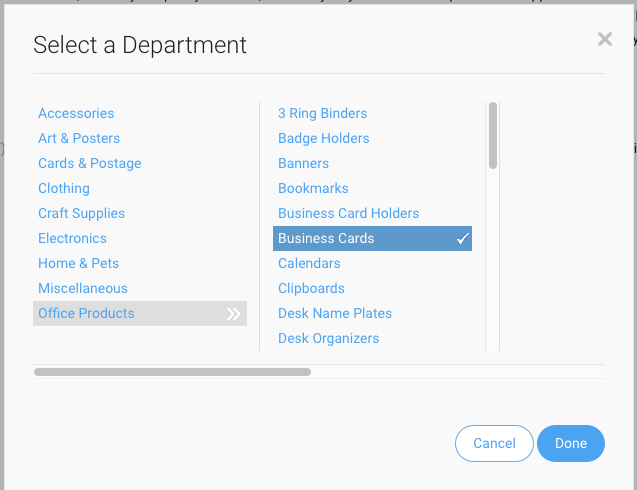
When you click “Done”, you’ll be given the department id – just copy it ready for pasting into your shortcode:

You can stop navigating before you get to a specific type of product and that way you’ll get all product types within the department.
That’s all there is to it.